
How to Set Up IPTV in 2026: A Complete Guide to Buffer-Free Streaming
IPTV 2026: The era of expensive cable packages and rigid satellite contracts is fading fast. In 2026, IPTV (Internet Protocol Television) has become the gold standard for cord-cutters seeking flexibility, affordability, and crystal-clear streaming. Whether you’re a sports fanatic, movie buff, or international content lover, this guide will walk you through everything you need to know about setting up IPTV—from equipment to optimization—so you can enjoy buffer-free entertainment in minutes.
What You Need to Get Started
Before diving into the setup process, you’ll need the right equipment to ensure smooth streaming in 2026. Modern IPTV demands more than just a basic internet connection.
Required Hardware for 2026
– High-Performance Router: Wi-Fi 6E or Wi-Fi 7 routers are essential for handling multiple 4K streams simultaneously without lag.
– Streaming Devices: Nvidia Shield Pro remains the top choice for IPTV enthusiasts, while Amazon Firestick 4K Max offers excellent value.
– Smart TVs: Look for models with AV1 codec support, which provides better compression and quality than older codecs.
– Ethernet Cables: For the most stable connection, use Cat 6 or Cat 7 cables directly to your streaming device.
– VPN Service: A reliable VPN helps bypass ISP throttling and protects your privacy.
Your internet speed matters significantly. For buffer-free 4K streaming, you’ll need at least 25 Mbps per stream. If multiple family members will watch different content simultaneously, consider 100 Mbps or higher.
Understanding IPTV vs Traditional TV
IPTV delivers television content through internet protocols rather than traditional satellite or cable formats. This fundamental difference creates several advantages:
Cost Comparison: IPTV subscriptions typically cost $10-30 monthly versus $50-150 for cable packages. You’re paying only for what you want to watch.
Content Flexibility: Access thousands of live channels, VOD libraries, and international programming that traditional providers can’t match.
Device Compatibility: Watch on your TV, smartphone, tablet, or computer—anywhere with internet access.
On-Demand Control: Pause, rewind, and record live TV with cloud DVR features standard in most IPTV services.
The technology has matured significantly, with providers now offering 99.9% uptime and 4K resolution with HDR support.
Step-by-Step IPTV Setup Guide
Setting up IPTV 2026 might seem technical, but the process is straightforward when broken down into steps.
Step 1: Choose Your IPTV Provider
Research reputable providers offering the channels and features you need. Look for services with trial periods so you can test quality before committing.
Step 2: Install Your App
Most IPTV services work with popular apps like IPTV 2026 Smarters, TiviMate, or Perfect Player. Download your chosen app from your device’s app store or directly from the provider.
Step 3: Configure Your Connection
Enter your provider’s M3U playlist URL or Xtream Codes API credentials into the app. This connects you to their streaming servers.
Step 4: Set Up EPG (Electronic Program Guide)
Import the EPG URL provided by your service to get accurate TV listings and program information.
Step 5: Optimize Your Settings
Adjust buffer settings, select appropriate video codecs, and enable hardware acceleration for optimal performance.
For detailed setup instructions and troubleshooting, visit the Best way to watch iptv 2026 guide, which covers advanced configuration options.
Key Benefits of IPTV 2026
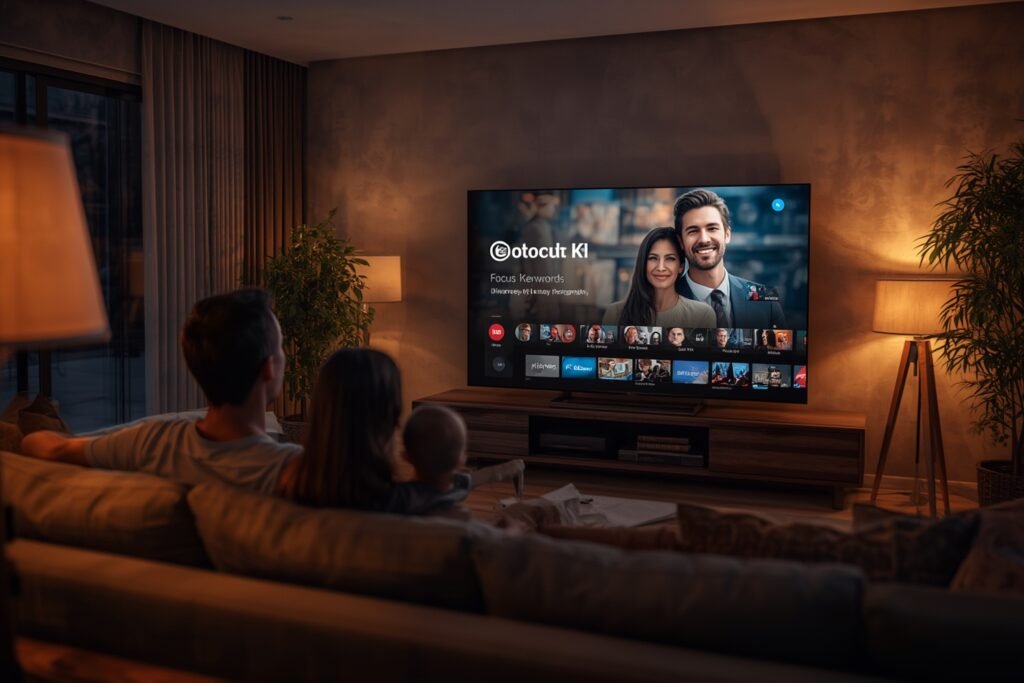
Modern IPTV 2026 offers advantages that traditional TV simply cannot match:
AI-Powered Content Discovery
Streaming platforms now use artificial intelligence to analyze your viewing habits and suggest content you’ll actually enjoy. The system learns your preferences over time, creating a personalized entertainment experience.
Multi-Device Ecosystems
Start watching a movie on your living room TV, pause it, and continue on your tablet in bed. IPTV’s cloud-based infrastructure makes this seamless switching possible.
Global Content Access
Watch live sports from Europe, Korean dramas, or Bollywood movies without geographical restrictions. IPTV breaks down international content barriers.
Cost-Effective Bundles
Many providers offer package deals that include multiple connections, allowing family members to watch different content simultaneously under one subscription.
Optimizing Your IPTV 2026 Experience
Even with the best setup, optimization can make the difference between frustrating buffering and smooth streaming.
Reduce Latency with Server Selection
Choose servers geographically closest to your location when available. Many providers offer multiple server locations to minimize latency and improve stream stability.
High-Speed CDN Servers
Content Delivery Networks (CDNs) distribute content across multiple servers worldwide. Select providers using premium CDN services for the most reliable streaming experience.
VPN Configuration for Throttling

Some ISPs deliberately slow down streaming traffic. A properly configured VPN can prevent this throttling, though it may slightly increase latency. Test different VPN servers to find the optimal balance.
Buffer Settings Adjustment
Increase your buffer size in the app settings to preload more content. This helps during temporary internet slowdowns but requires more storage space.
Network Prioritization
If your router supports QoS (Quality of Service), prioritize your streaming device’s traffic to ensure it gets sufficient bandwidth even when other devices are active.
Common IPTV 2026 Setup Mistakes to Avoid
Even experienced users make these common errors that can ruin your streaming experience.
EPG Not Loading
This usually occurs due to incorrect URL entry or server issues. Double-check the EPG URL format and try refreshing the guide. Some providers update their EPG URLs periodically.
Mismatched Codecs
If your device doesn’t support the video codec being used, you’ll see errors or black screens. Ensure your device and app support modern codecs like H.265/HEVC or AV1.
Insufficient Bandwidth
Running multiple 4K streams on a slow connection causes constant buffering. Use speed test tools to verify your actual bandwidth meets requirements.
Outdated App Versions
Streaming apps receive regular updates for performance improvements and bug fixes. Keep your IPTV 2026 app updated to the latest version.
Incorrect Playlist Format
Some providers offer different playlist formats (M3U, M3U8, or API). Ensure you’re using the correct format for your app.
Maintaining Your IPTV 2026 System
Regular maintenance keeps your IPTV 2026 running smoothly throughout the year.
Update Apps Regularly
Check for app updates weekly. Developers frequently release patches that improve stability and add new features.
Refresh Playlists
Some IPTV 2026 providers update their channel lists periodically. Refresh your M3U playlist or reconnect your API credentials to ensure you have the latest content.
Monitor Storage Space
Streaming apps cache content to improve performance. Periodically clear cache if you notice storage space becoming limited on your device.
Check Internet Speed
Run monthly speed tests to ensure your internet connection maintains the required bandwidth for your streaming needs.
Review Provider Performance
If you experience consistent issues, contact your provider’s support team. They may suggest specific server connections or settings for your location.
Conclusion: Your Path to Perfect IPTV Streaming
Setting up IPTV 2026 is easier than ever, thanks to improved technology and user-friendly apps. By following this guide and investing in the right equipment, you can enjoy thousands of channels, on-demand content, and international programming without the high costs of traditional TV services.
Remember that success with IPTV depends on three factors: choosing a reliable provider, using quality hardware, and optimizing your network setup. Start with a trial period from a reputable service, test different configurations, and don’t hesitate to adjust settings until you achieve the perfect streaming experience.
Frequently Asked Questions
What internet speed do I need for IPTV?
For standard definition streaming, 5-10 Mbps is sufficient. HD requires 10-20 Mbps, while 4K streaming needs at least 25 Mbps per stream. For households with multiple viewers, aim for 100 Mbps or higher to prevent buffering.
Is IPTV 2026 legal to use?
IPTV technology itself is legal, but the legality depends on the content being streamed. Licensed IPTV services that pay for content rights are completely legal. Always verify your provider’s licensing agreements before subscribing.
Can I use IPTV 2026 on multiple devices?
Yes, most IPTV providers offer multi-connection packages allowing simultaneous streaming on 2-5 devices. Some even offer unlimited connections for larger households. Check your provider’s policy on simultaneous streams.
Do I need a VPN for IPTV 2026?
A VPN isn’t strictly necessary but is highly recommended. It protects your privacy, prevents ISP throttling, and can help access geo-restricted content. Choose a VPN with fast servers and unlimited bandwidth for the best experience.
How do I fix buffering issues?
Start by checking your internet speed and closing other bandwidth-heavy applications. Increase buffer settings in your app, connect via Ethernet instead of Wi-Fi, and try different server locations. If problems persist, contact your provider for support.



