
IPTV MAG box are some of the most robust streaming media players. IPTV users choose them for their speed, Simplicity, and excellent streaming performance. The user interface is simple and responsive, channel switching is quick and you receive all the features required to get the most out of your IPTV service.
Before that, you need an IPTV Subscription, and the best service is from Cinetify.com to run it on your Mag Box device
STEP 1:
When the box is being loaded the main portal screen appears. After that click on “settings”, press the remote button “SETUP/SET”
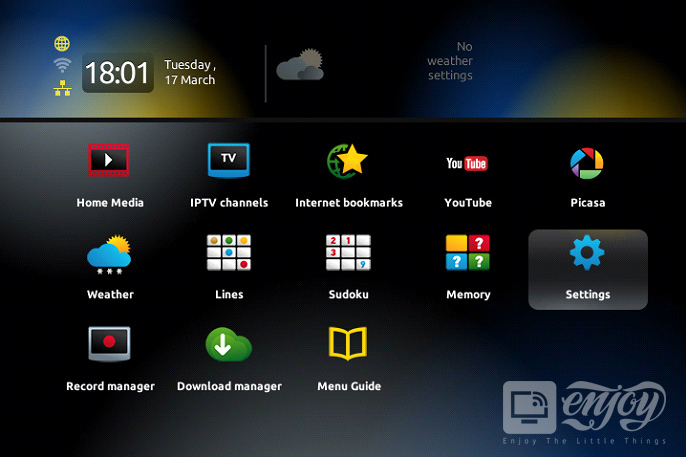
STEP 2:
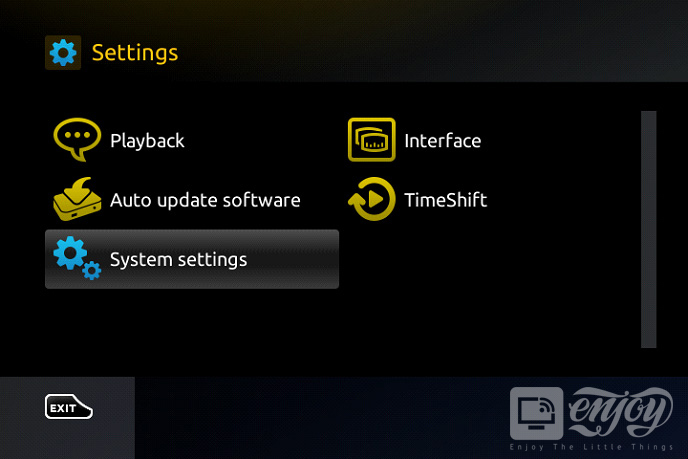
On your Mag Box device press on “System settings” and click on “Servers”.
STEP 3:
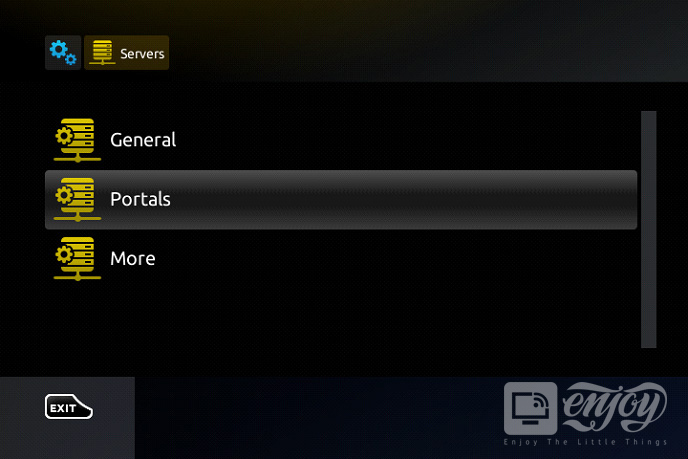
Select “Portals”.
STEP 4:
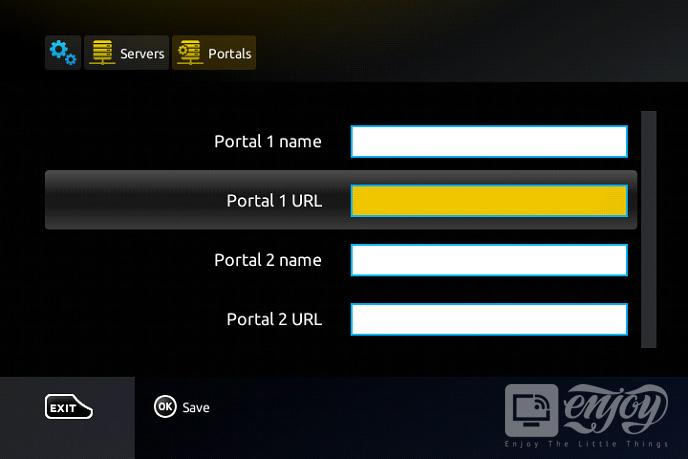
In the “Portal 1 name” line enter the following ” IPTV “.
In the “Portal 1 URL” enter the portal address provided by your IPTV service provider.
STEP 5:
When all the operations listed above are done, then press “OK”.
When the settings are being saved click “EXIT” on the remote control and press the option “General”.
In the “NTP server,” line enter the following address “pool.ntp.org or us.pool.ntp.org“ for North America.
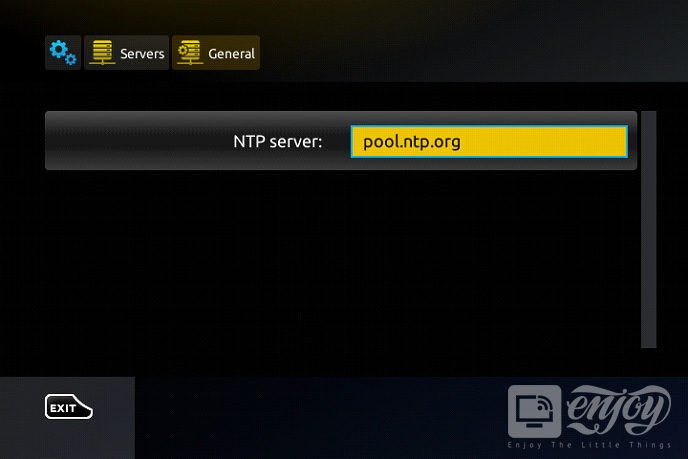
Press “OK” on your Mag Box remote control to save the changes you made.
When all the steps listed above are done press ”EXIT” 2 times on the remote control and restart the portal. Now everything is ready to start watching Live TV.



